For ages 6 to 11

CalcuBoss

Mental maths from age 6 to 11, through play

A path of 90 levels where children learn a calculation strategy, practise at their own pace and take on the boss of each world. For home and for the classroom.

  • Free
  • No ads
  • No account
  • Works offline
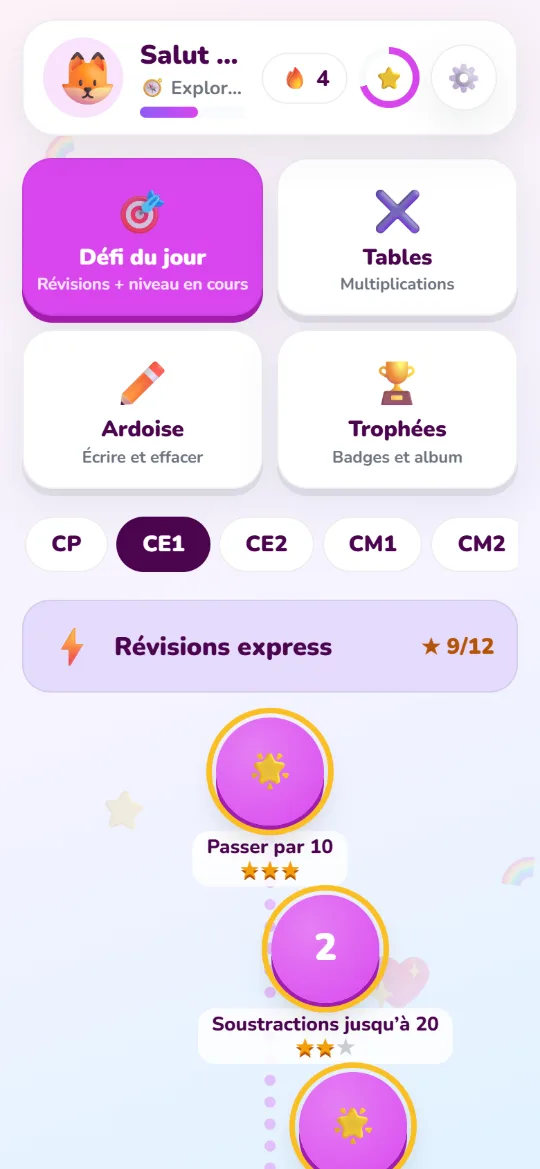
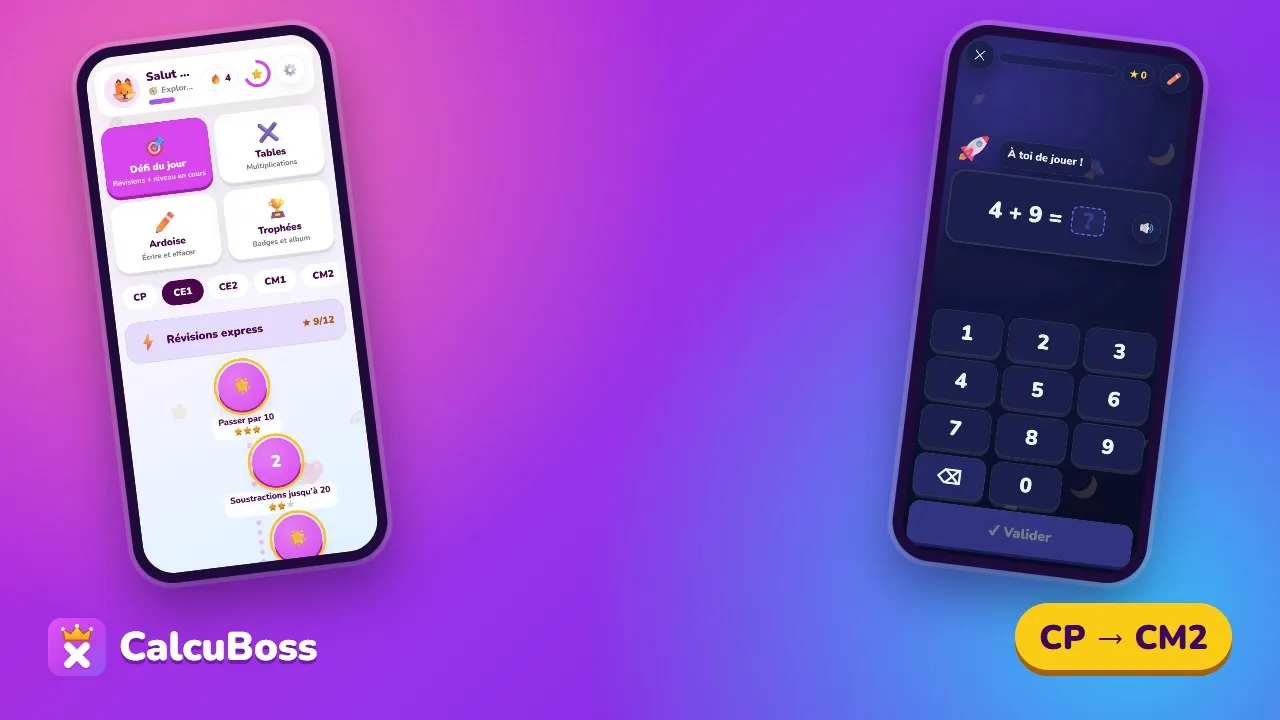
The home screen on a phone (French interface): daily challenge, times tables, whiteboard and trophies, the grade picker, then the path of levels with the stars earned.
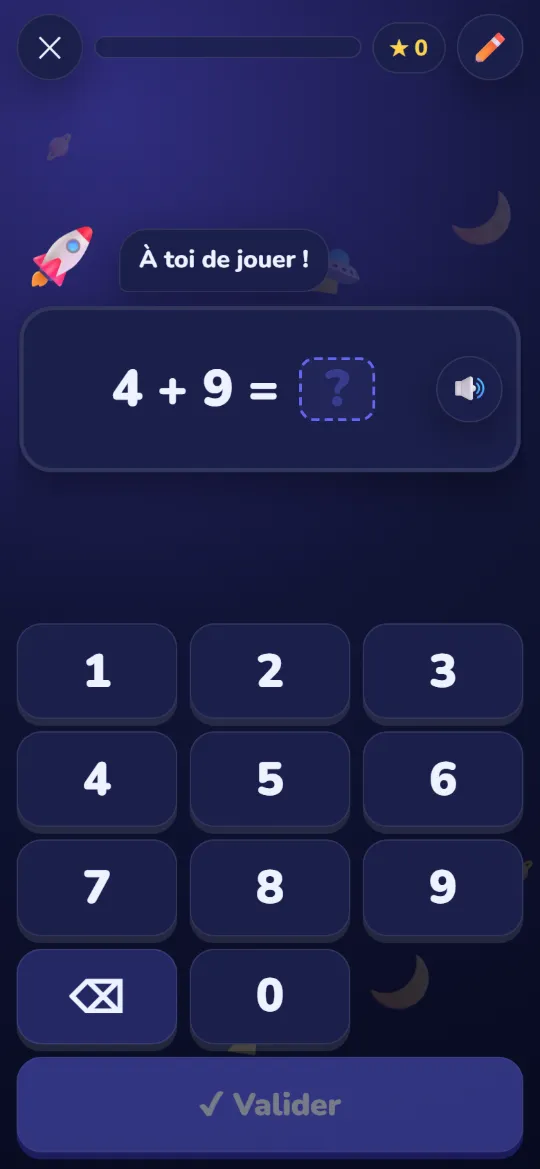
A question in the Space theme: 4 + 9 = ?, with a large number pad.
How it works

A real learning path, from Grade 1 to Grade 5

Children choose their grade and move from world to world. Each level trains one precise skill, and stars make progress visible.

  • 5grades, age 6 to 11
  • 20worlds to explore
  • 90step-by-step levels
  • 1boss at the end of each world
  1. Grade 1age 6-7 · CP
  2. Grade 2age 7-8 · CE1
  3. Grade 3age 8-9 · CE2
  4. Grade 4age 9-10 · CM1
  5. Grade 5age 10-11 · CM2
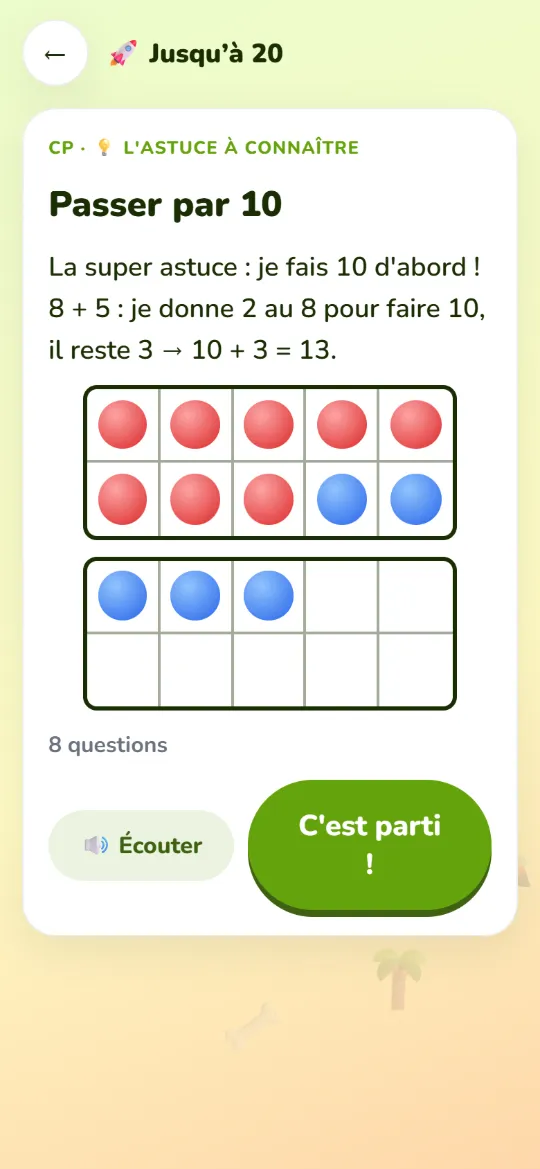
A Grade 1 mini-lesson, “Make 10” (French interface): 8 + 5, give 2 to the 8 to make 10, 3 are left. Two ten frames illustrate the sum.
Every level starts with the trick to know.

A game, step by step

  1. The trick to knowA mini-lesson, read aloud and illustrated, shows one calculation strategy.
  2. A short run of questionsChildren answer with the number pad, the keyboard or, if they like, out loud.
  3. Help, never punishmentTwo tries, a hint using the numbers of the question, then the solution explained.
  4. Stars and the bossUp to 3 stars per level. The boss mixes the whole world; beating it with 2 stars unlocks the next world.
The method

Understand first, then build fluency

Strategies taught explicitly, strong mental images and short, regular practice.

  • A trick before playing

    Each level starts with a mental calculation strategy, read aloud and illustrated (ten frame, number line, bar model).

  • Two tries and a hint that shows the way

    After a mistake, children can open the hint using their own numbers; after two mistakes the solution is explained, with no penalty.

  • Spaced repetition

    A missed fact comes back later in the game, then over the following days (5 Leitner boxes). The Daily challenge mixes review with the current level.

  • Adaptive difficulty

    3 quick right answers in a row make the numbers bigger, 2 mistakes make them easier, so children stay where they succeed most of the time.

  • Fluency without stress

    No visible timer by default. Speed earns a “lightning” bonus; the 1-minute challenge is always the child’s choice.

  • A little every day

    10 to 15 minutes a day beats one long session a week.

  • Aligned with the 2024–2025 French curriculum

    Skills follow the French national primary maths programmes, grade by grade.

  • Strategies taught explicitly

    No guessing: children learn a strategy (make 10, doubles, partitioning…), see it work, then practise it.

  • From concrete to abstract

    A picture before the bare calculation: the concrete → pictorial → abstract approach made famous by Singapore maths.

Three mental images used throughout the path

  • A ten frame filled with 8 red counters and 2 blue ones, with 3 more blue counters below: 8 + 5 = 10 + 3.
    The ten frame

    8 + 5: fill the frame, 3 are left over. So 8 + 5 = 10 + 3 = 13.

  • A number line: a jump of 3 from 27 to 30, then a jump of 5 from 30 to 35. 273035 +3+5
    The number line

    27 + 8: jump to 30, then 5 more. So 27 + 8 = 35.

  • A bar model: a bar of 24 split into 3 equal parts; two parts are 8, the third is to be found. 24 88?
    The bar model

    24 marbles shared into 3 equal groups: each group is 8, because 3 × 8 = 24.

Features

Everything children need to progress

Tools designed for 6 to 11 year olds, and clear insights for grown-ups.

  • A voice that reads the questions

    Instructions and sums are read aloud with the most natural voice on the device: ideal for early readers.

  • A magic whiteboard

    Like a dry-erase slate: work the sum out with a finger or stylus, then wipe it clean. Includes a sums dictation mode.

  • Times tables

    Pick the tables, beat your record in the 1-minute challenge and watch the mastery map fill up.

  • A parents’ area

    Protected access: play time, skills, facts to review, export and import of progress.

  • 12 themes

    Unicorns, space, dinosaurs, ocean… Each child picks a setting and a mascot.

  • French and English

    The whole app, voice included, works in French and in English.

  • Installable

    On a tablet, phone or computer, straight from the browser, with no app store needed.

  • Works offline

    Once installed, the app works without a connection: in the car, on holiday or in class.

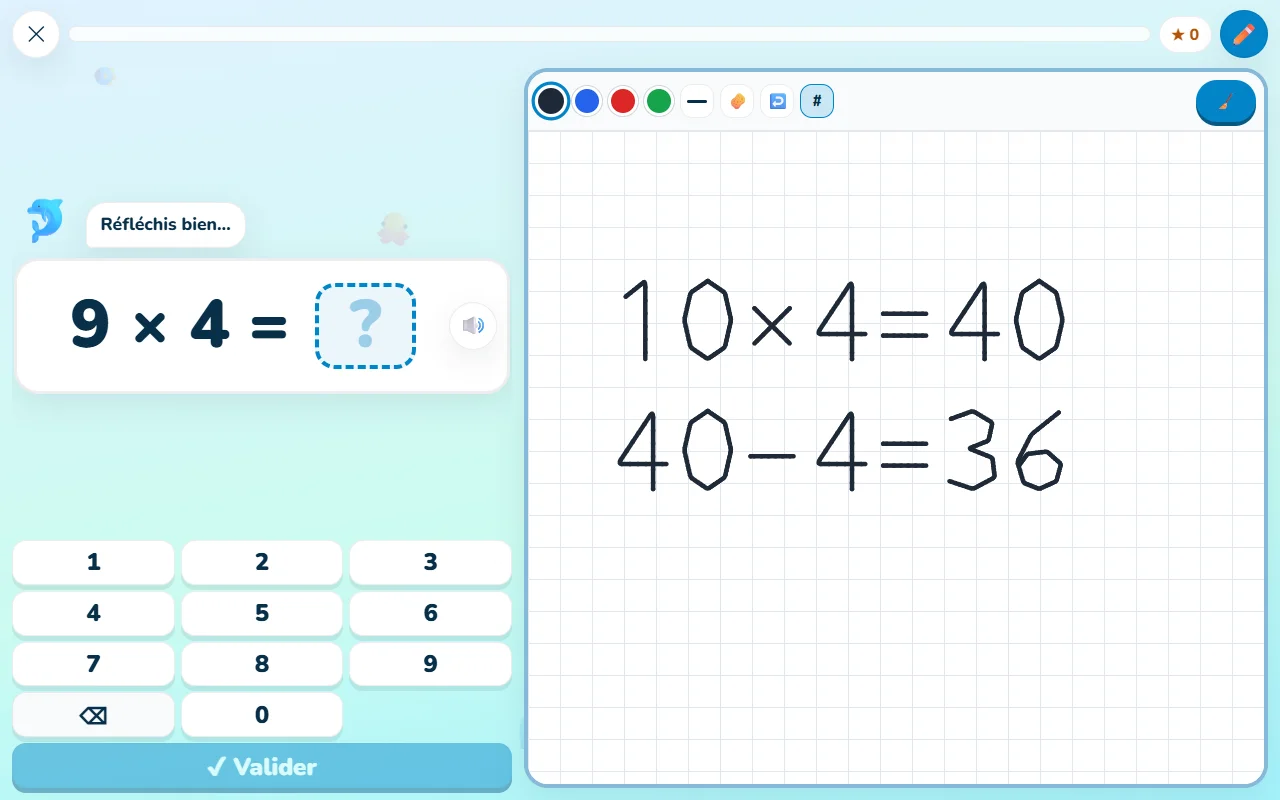
On a computer (French interface): on the left the question 9 × 4 = ? and the number pad; on the right the magic whiteboard where the child wrote 10 × 4 = 40, then 40 − 4 = 36.

On a large screen, the magic whiteboard sits right next to the question.

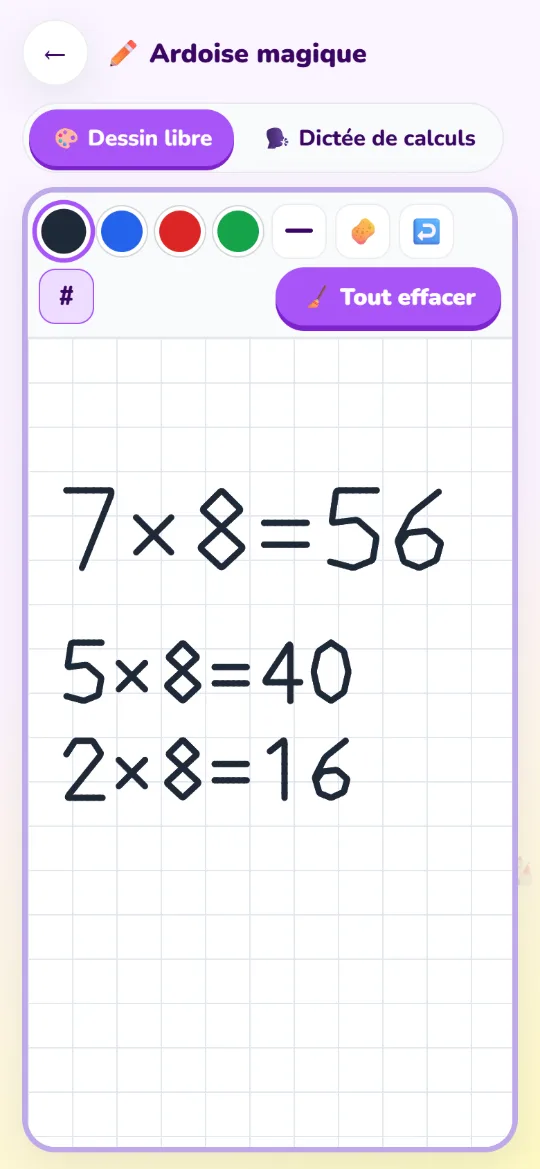
The magic whiteboard on a phone, with coloured pens, eraser and grid: the child wrote 7 × 8 = 56, 5 × 8 = 40 and 2 × 8 = 16.
The magic whiteboard and sums dictation.
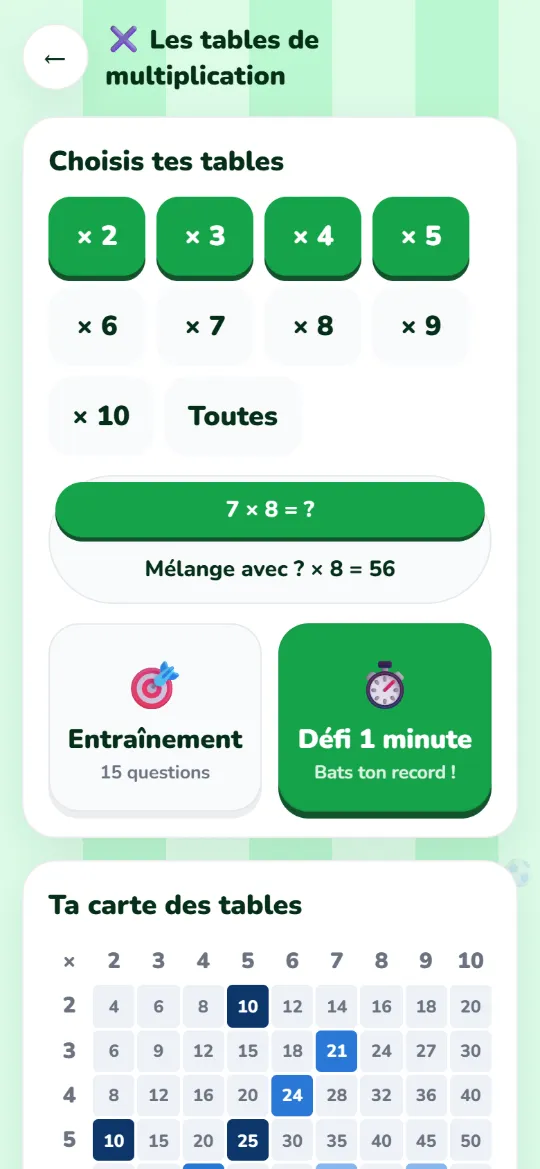
The times tables screen (French interface): pick tables 2 to 10, practice or 1-minute challenge, and the colour-coded tables map.
Times tables: 1-minute challenge and mastery map.

12 themes to choose from

  • Unicorns
  • Space
  • Dinosaurs
  • Ocean
  • Football
  • Fairies & castles
  • Robots
  • Jungle
  • Sweets
  • Pirates
  • Cute animals
  • Minimal
Privacy

Nothing to track, nothing to sell

  • No account, no email address, no ads.
  • No cookies, no analytics, no third-party scripts.
  • Progress stays in the browser on the device. You can export or delete it from the Parents’ area.
  • Optionally, a “family code” syncs several devices: progress is encrypted on the device and the server cannot read it.

Read the privacy policy

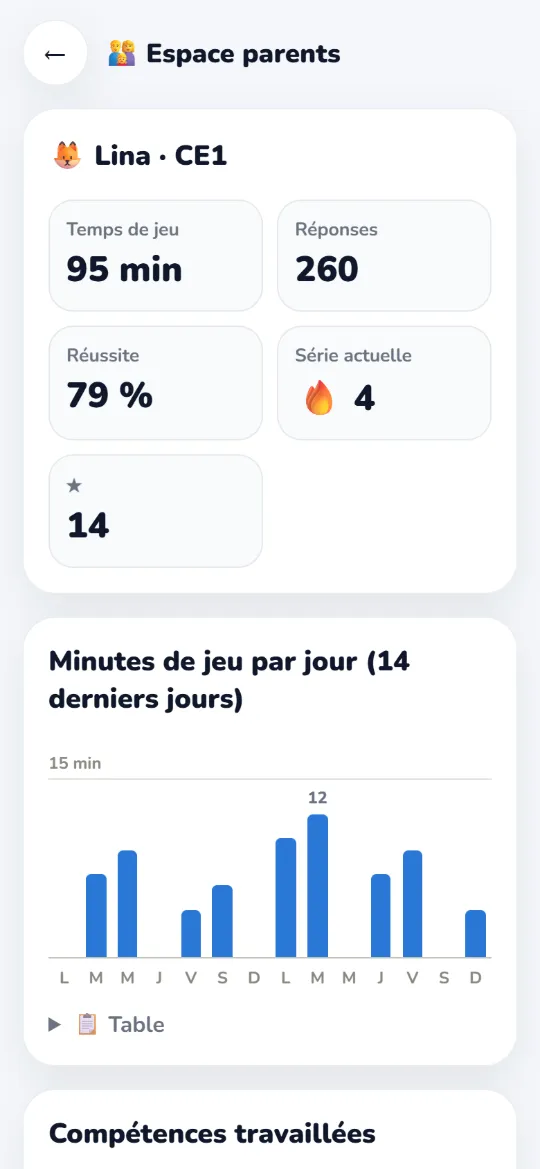
The Parents’ area (French interface): play time, number of answers, success rate, day streak and a chart of minutes played over 14 days.
The Parents’ area, protected by a grown-ups’ question.
FAQ

Frequently asked questions

What age is it for?

CalcuBoss is for children aged 6 to 11, from Grade 1 to Grade 5 (CP to CM2 in France). Children pick their grade when they start; it can be changed at any time, and a parent can unlock levels from the Parents’ area.

How long should my child play each day?

10 to 15 minutes a day is enough. A short, regular session works better than one long session a week. The Parents’ area shows play time day by day.

Is it really free?

Yes. CalcuBoss is free, with no ads and no account to create.

Does it work offline?

Yes. After the first visit, the browser keeps the app and it works offline. To keep it handy, install it: “Add to Home Screen” in Safari’s Share menu (iPad, iPhone), or the install button in the address bar of Chrome and Edge.

Offline, reading aloud uses the voices installed on the device.

Which device and voice work best?

Any recent browser works, on a tablet, phone or computer. For the most pleasant voice:

  • Windows PC: open CalcuBoss in Microsoft Edge, which offers very natural “Natural” voices (Jenny, Aria…).
  • iPad and iPhone: Settings › Accessibility › Spoken Content › Voices, then download a “Premium” or “Enhanced” voice.
  • Android: Google voices sound good by default.

Some voices are online services: what that means.

Can I use it in class?

Yes. No account or email address is needed, several profiles can be created on the same device, and the magic whiteboard with its sums dictation works well with a whole class.

Where is progress saved?

In the browser on the device, and nowhere else, unless you turn on encrypted family-code sync. Clearing the browser’s data therefore erases progress, so remember to export it from the Parents’ area. All the details are in the privacy policy.

Ready to become a maths boss?

Pick a grade and a theme: the first game starts in under a minute.

Start